Turn Salesforce Reports
Into Photo Directories

Native to Salesforce. Built specifically for photo directories. Turn your Salesforce reports into a print-ready PDF in minutes.

9-Up Directory
9-Up Grid template — nine contacts per page

See It In Action

Five Simple Steps

From selecting your data to downloading your directory, DirGen makes it effortless.

1

Choose Your Report

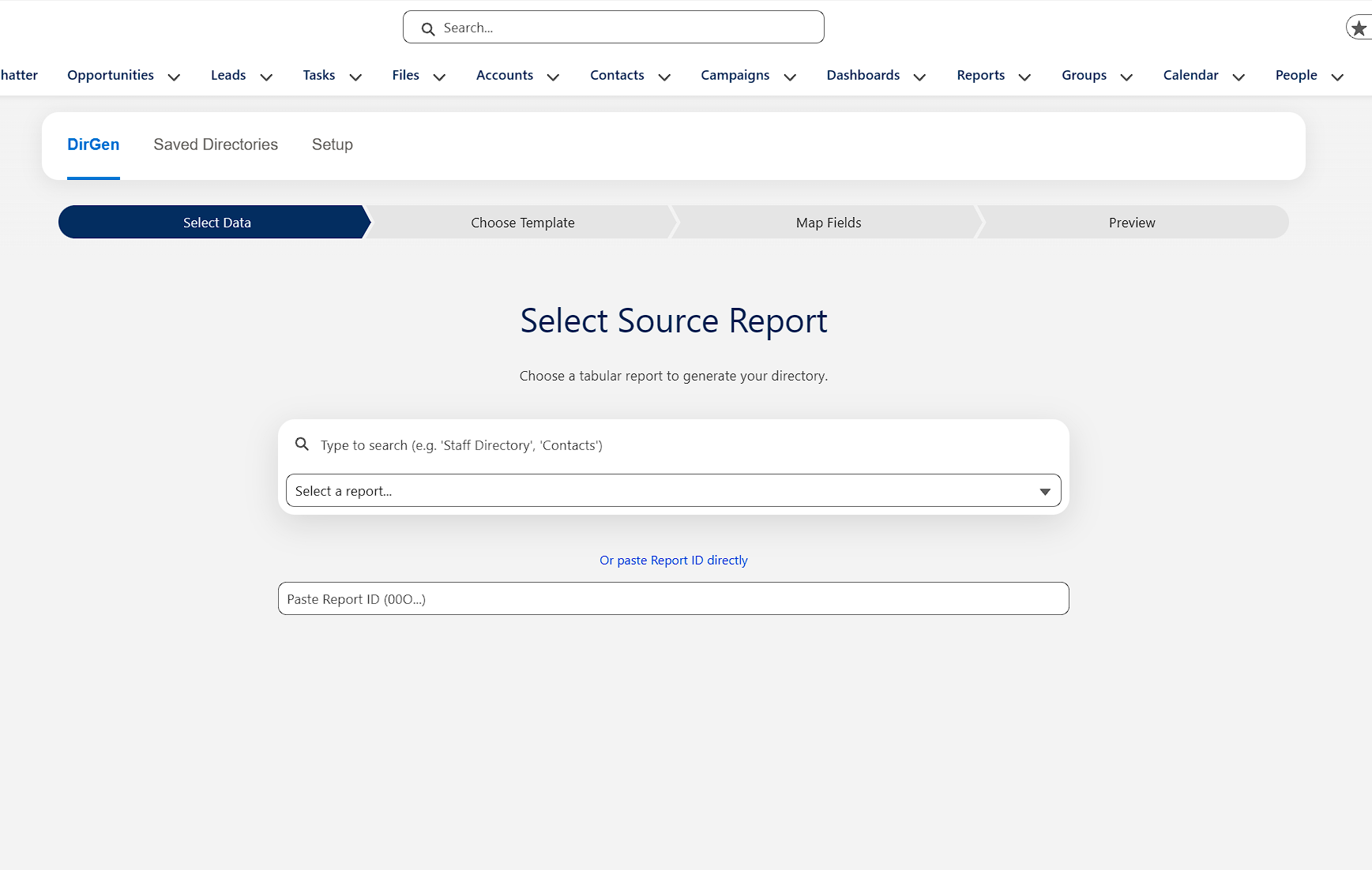
Select your Salesforce report. DirGen works with any object.

Step 1: Select your Salesforce report as data source
2

Pick a Template

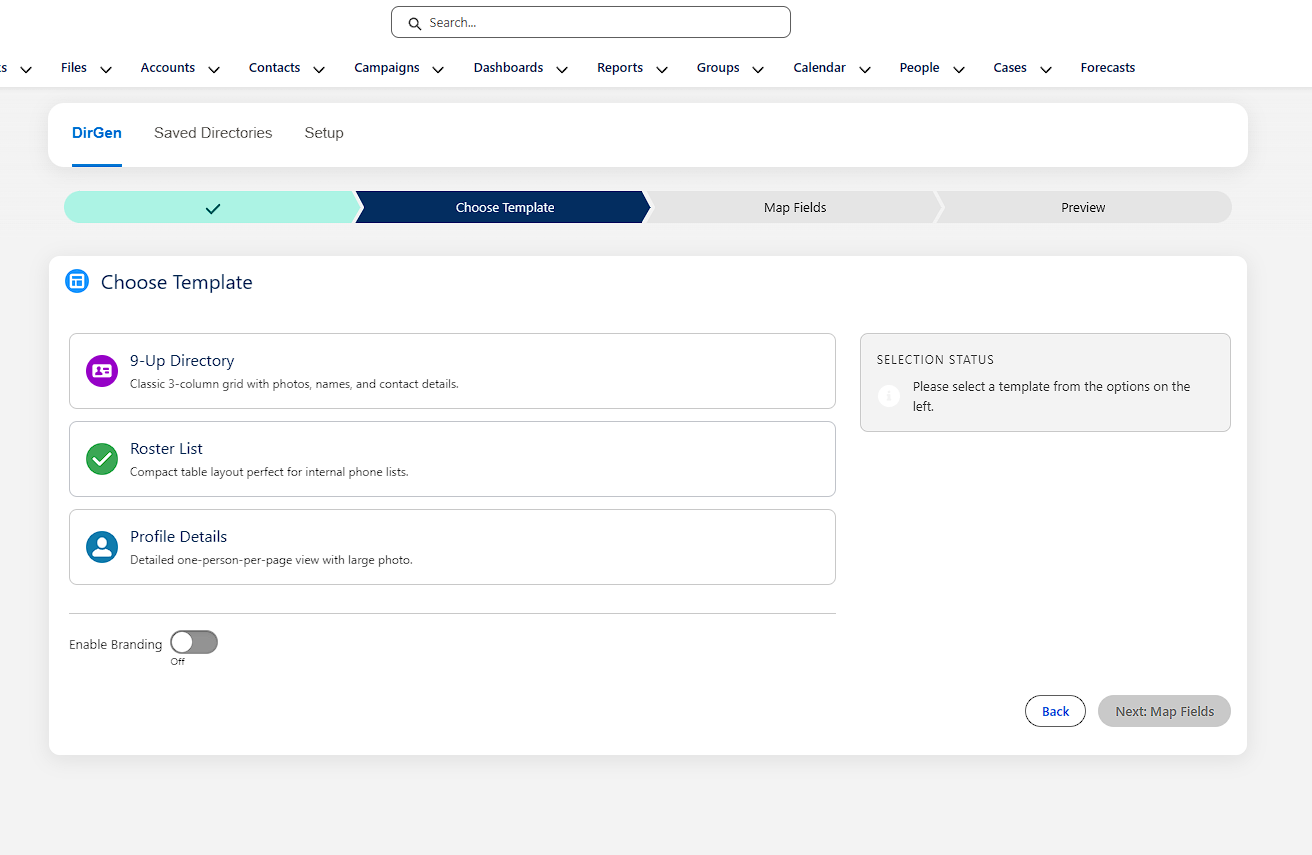
Choose from 3 professional layouts: 9-Up Directory (9 per page), Roster List (compact table), or Profile Details (one per page).

Step 2: Choose from three professional directory templates
3

Map Your Fields

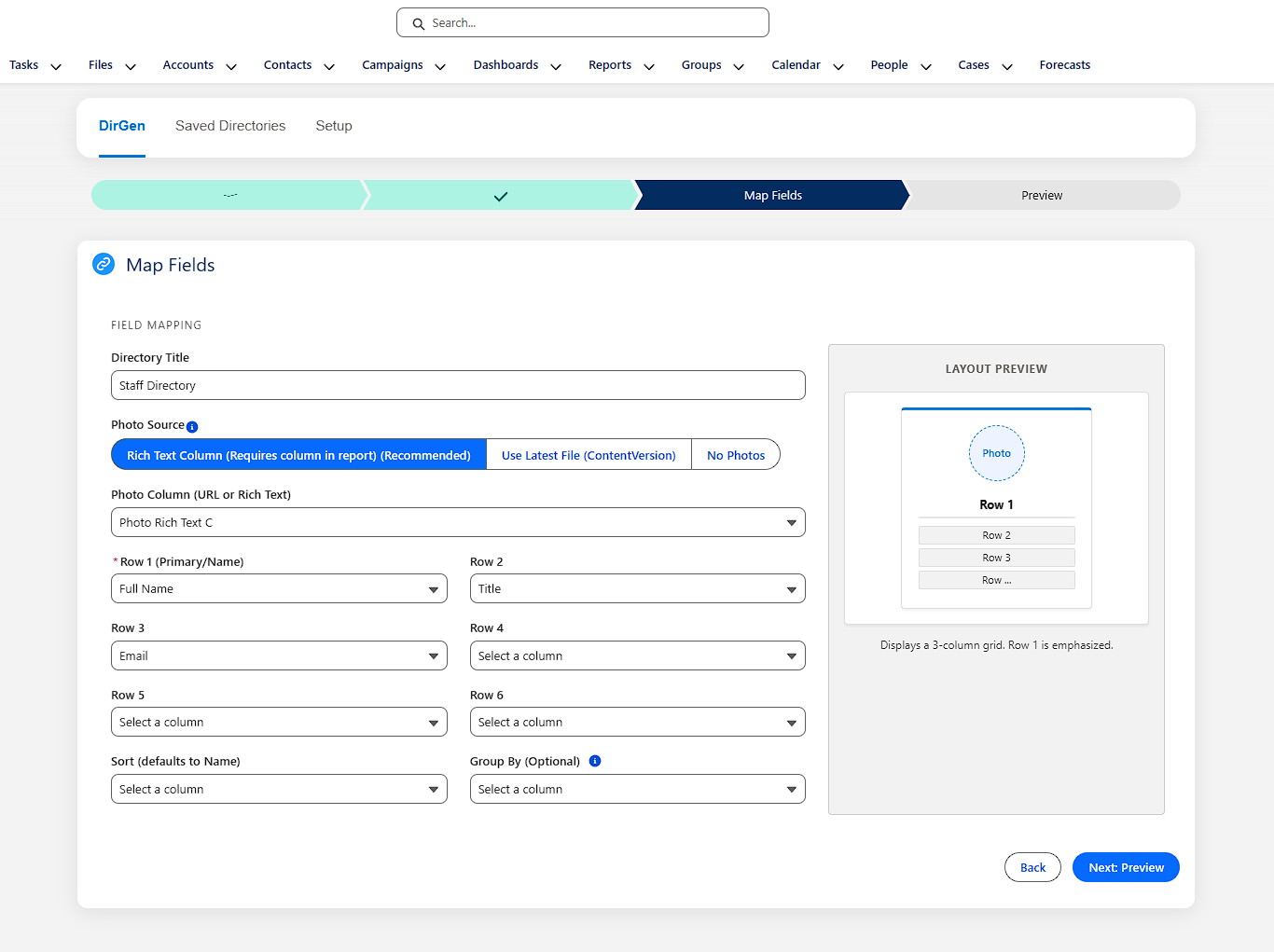
Tell DirGen which report columns contain photos, names, titles, and contact info. Simple dropdown menus make field mapping quick and intuitive.

Step 3: Map Salesforce fields to directory layout
4

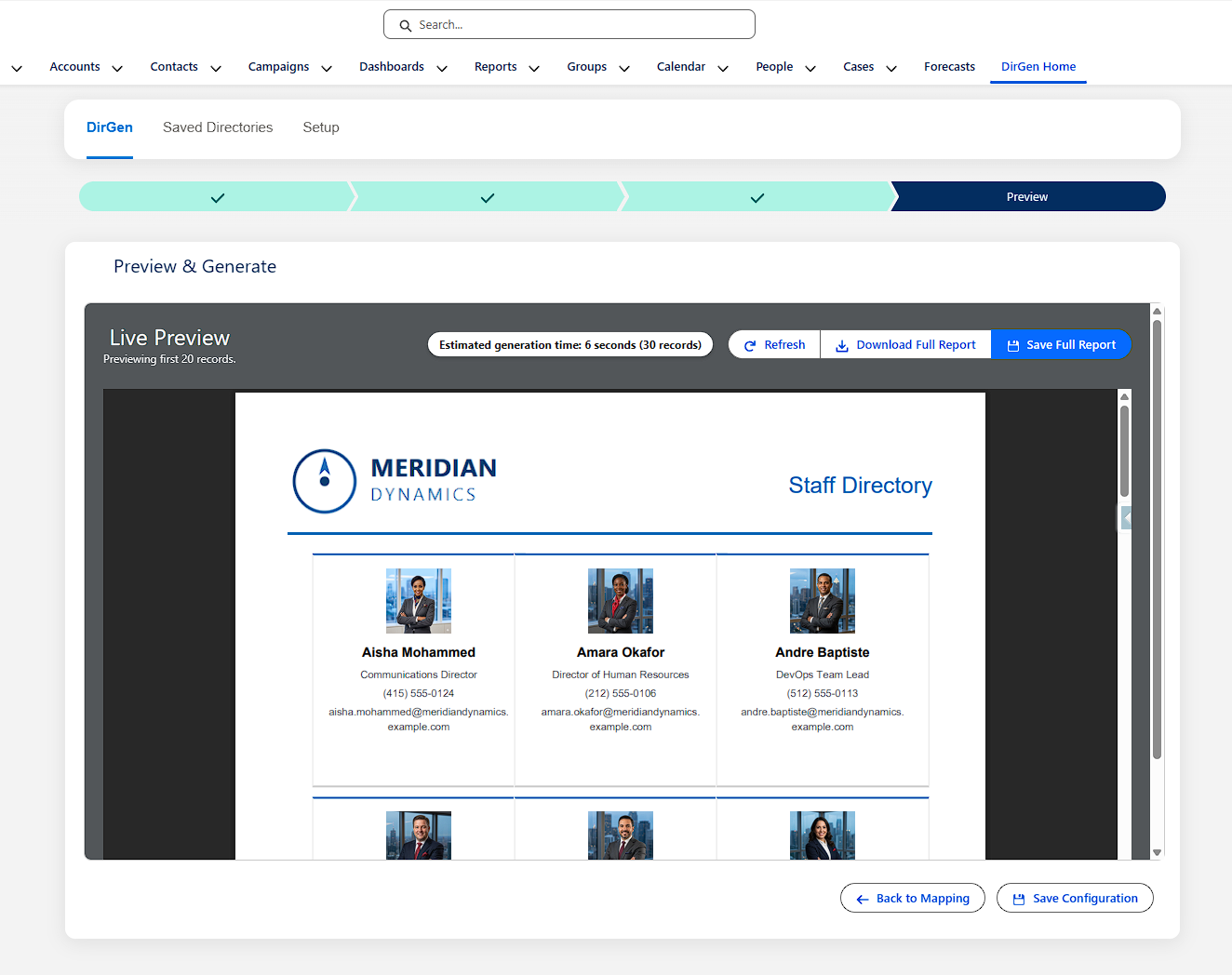
Preview Your Directory

See exactly what your directory will look like before generating. Make adjustments to field mappings or template selection as needed.

Step 4: Live preview of your directory before generating
5

Generate & Download

Click generate and download your print-ready PDF in seconds. Share it, print it, or save it for later. Need to update it? Just regenerate from the same report.

Step 5: Download print-ready PDF directory

Capabilities

Everything You Need

Built for Salesforce admins who need professional directories without the manual work.

3 Pro Templates

Choose the layout that fits your needs: grid, roster, or full profile.

Corporate Branding

Add your logo and accent color to every directory.

Smart Grouping

Group records by any field with automatic subheaders.

Agentforce Ready

Automated directory regeneration with AI agents.

Smart Photo Handling

Works with Files and Rich Text Fields automatically.

Save & Reuse

Save configurations for instant regeneration with updated data.

Three Templates, One Simple Process

Pick the format that matches your use case. All templates work with any Tabular or Summary Salesforce report.

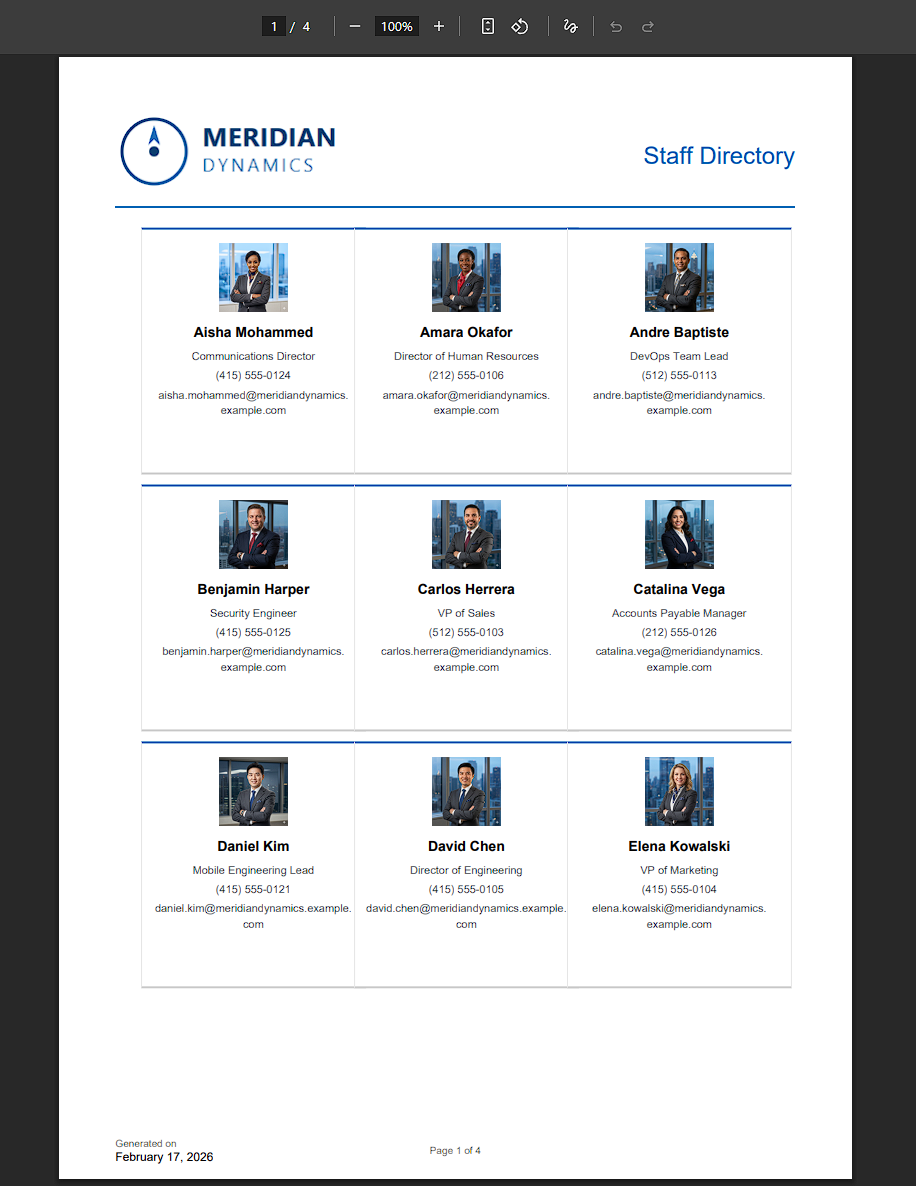
9-Up Directory template: 9 people per page with photos and contact info

9-Up Directory

9 records per page with photos, names, and essential info. Perfect for staff directories and member rosters.

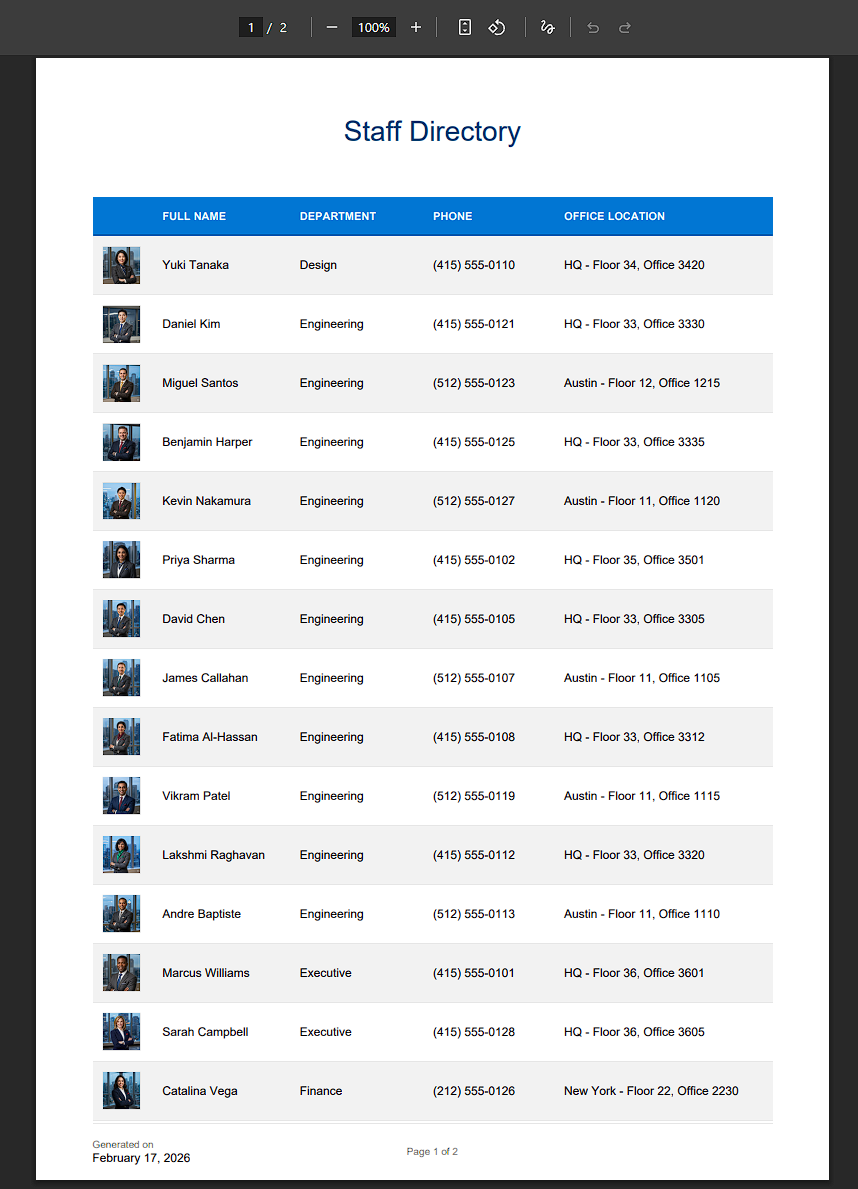
Roster List template: Compact table layout with photos

Roster List

Compact table layout with small photos and key contact info. Ideal for quick reference lists and phone directories.

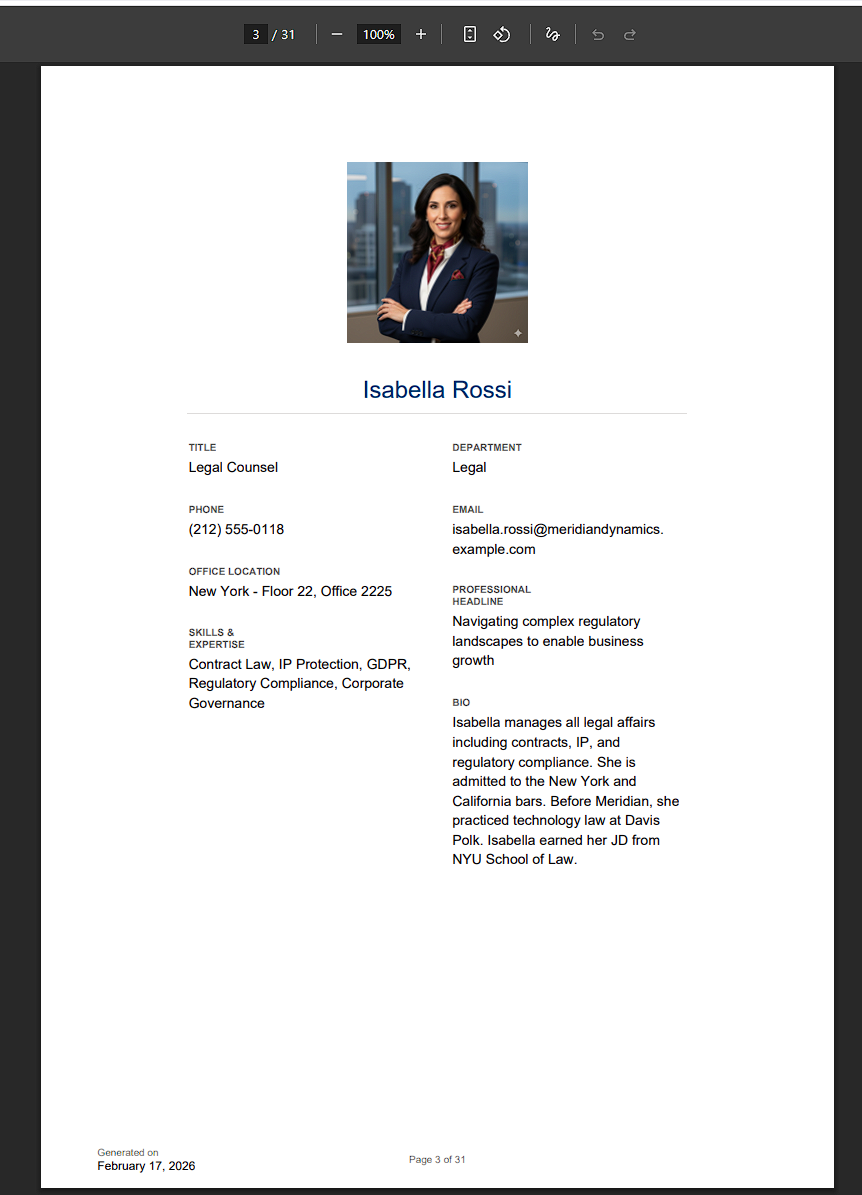
Profile Details template: One person per page with large photo

Profile Details

One record per page with large photo and comprehensive details. Best for VIP lists and board directories.

Who It's For

Built For Your Organization

Perfect for Parish Directories

Create priest directories, volunteer rosters, and parish member directories directly from your Salesforce data. Keep your congregation connected with professional, photo-rich directories that are always up to date.

Faculty & Student Directories Made Easy

Build faculty lists, student organization rosters, and staff directories in minutes. Whether it's a department directory or a full school yearbook-style layout, DirGen has you covered.

Board Bios & Staff Directories in Seconds

Generate board member bios, staff directories, and donor recognition lists from your existing Salesforce data. Professional output for annual reports, fundraising events, and stakeholder communications.
The Story Behind DirGen

Built by an Admin, for Admins

Creating photo directories manually is painful. Hours spent exporting data, formatting layouts, inserting photos, and fixing broken images, all for something that needs to be updated again next quarter.

DirGen was born out of that frustration. What started as a tool to solve a real problem for my own organization has grown into a polished solution for anyone who needs professional photo directories from Salesforce.

Marlin

Salesforce Admin · Portland, Oregon