Turn Salesforce reports
into photo directories

DirGen runs inside Salesforce and turns your reports into print-ready PDFs in minutes: staff directories, product catalogs, asset registers, and listing sheets.
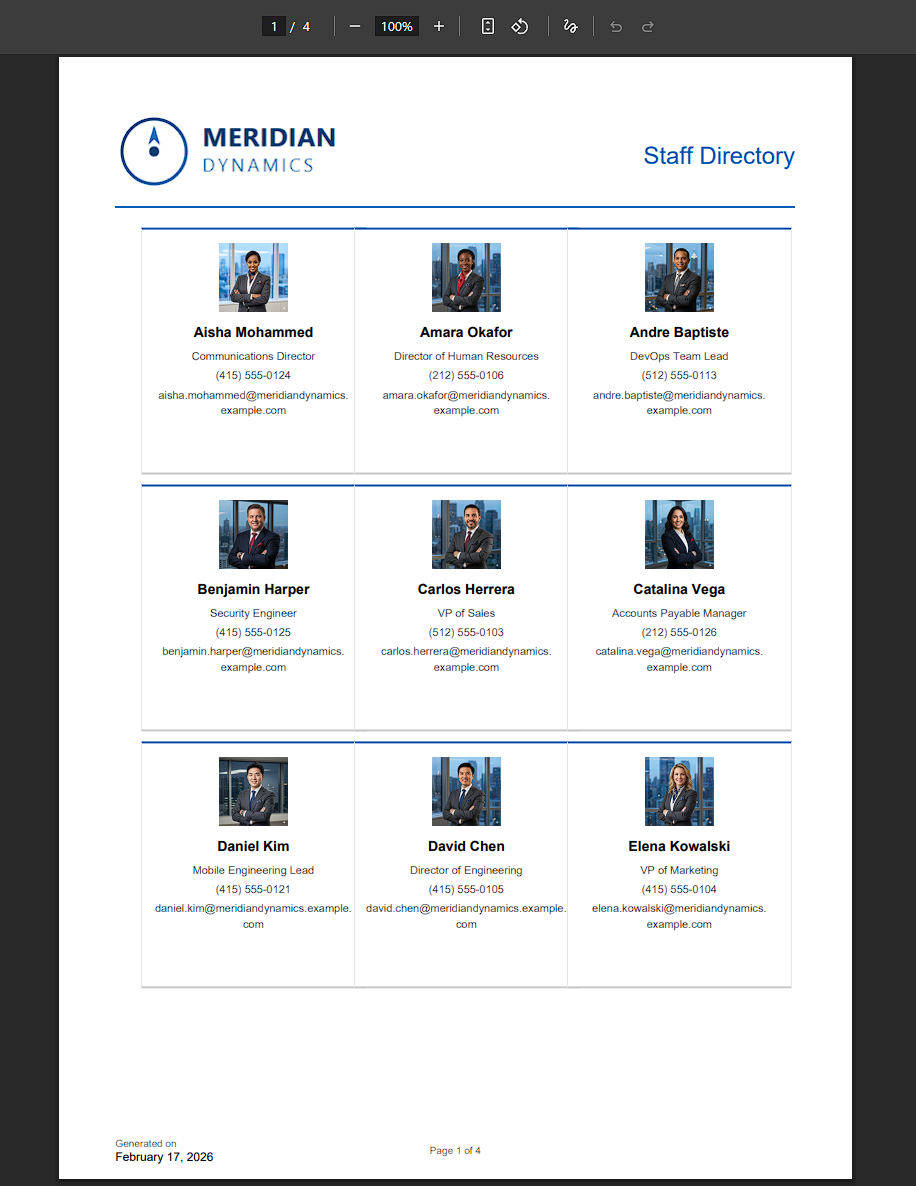
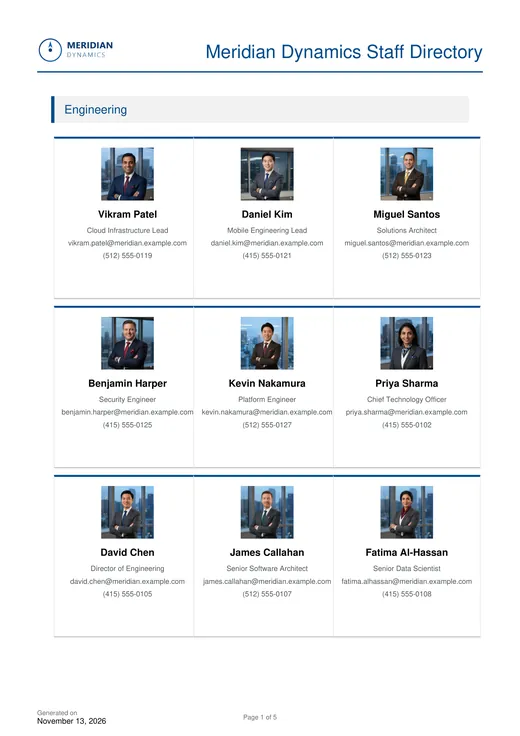
9-Up Directory
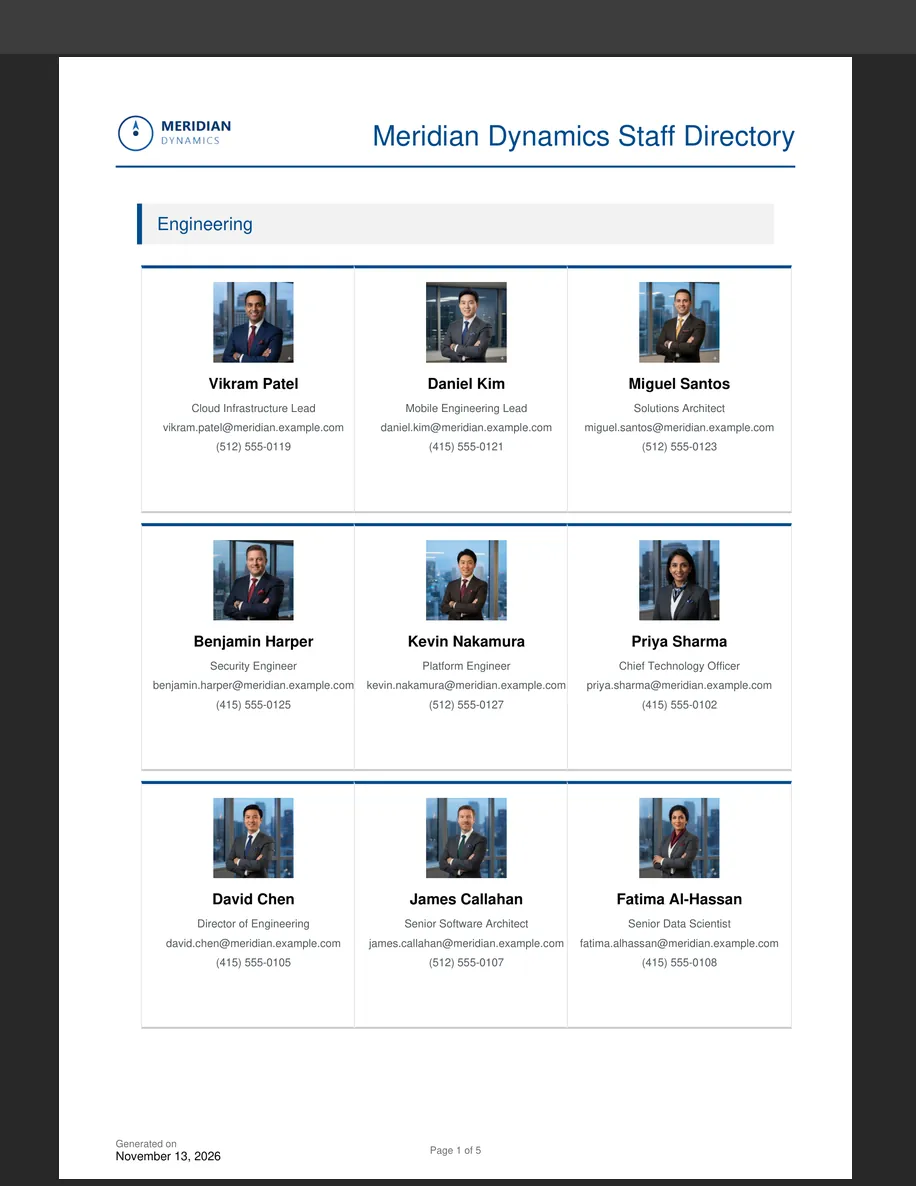
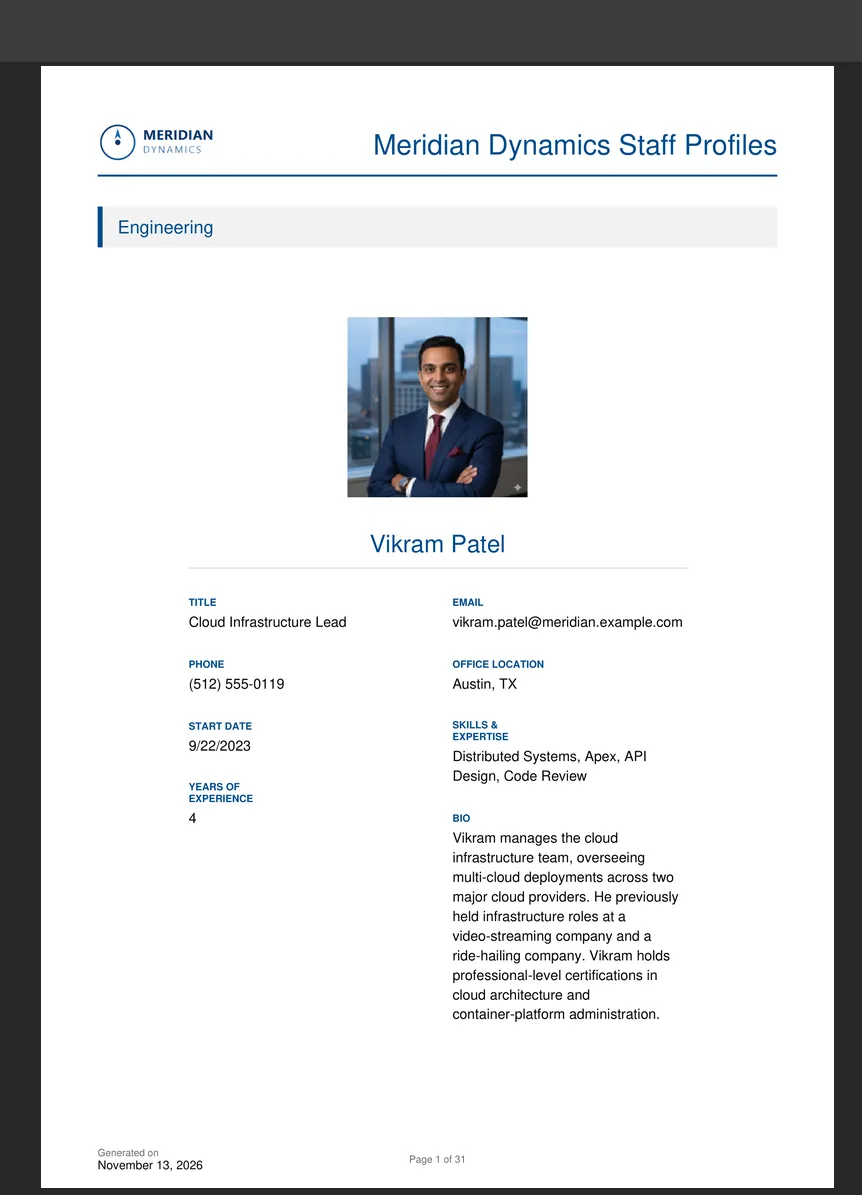
Staff directory page in the 9-Up Directory template

Five simple steps

From selecting your data to downloading your directory, DirGen makes it effortless.

1

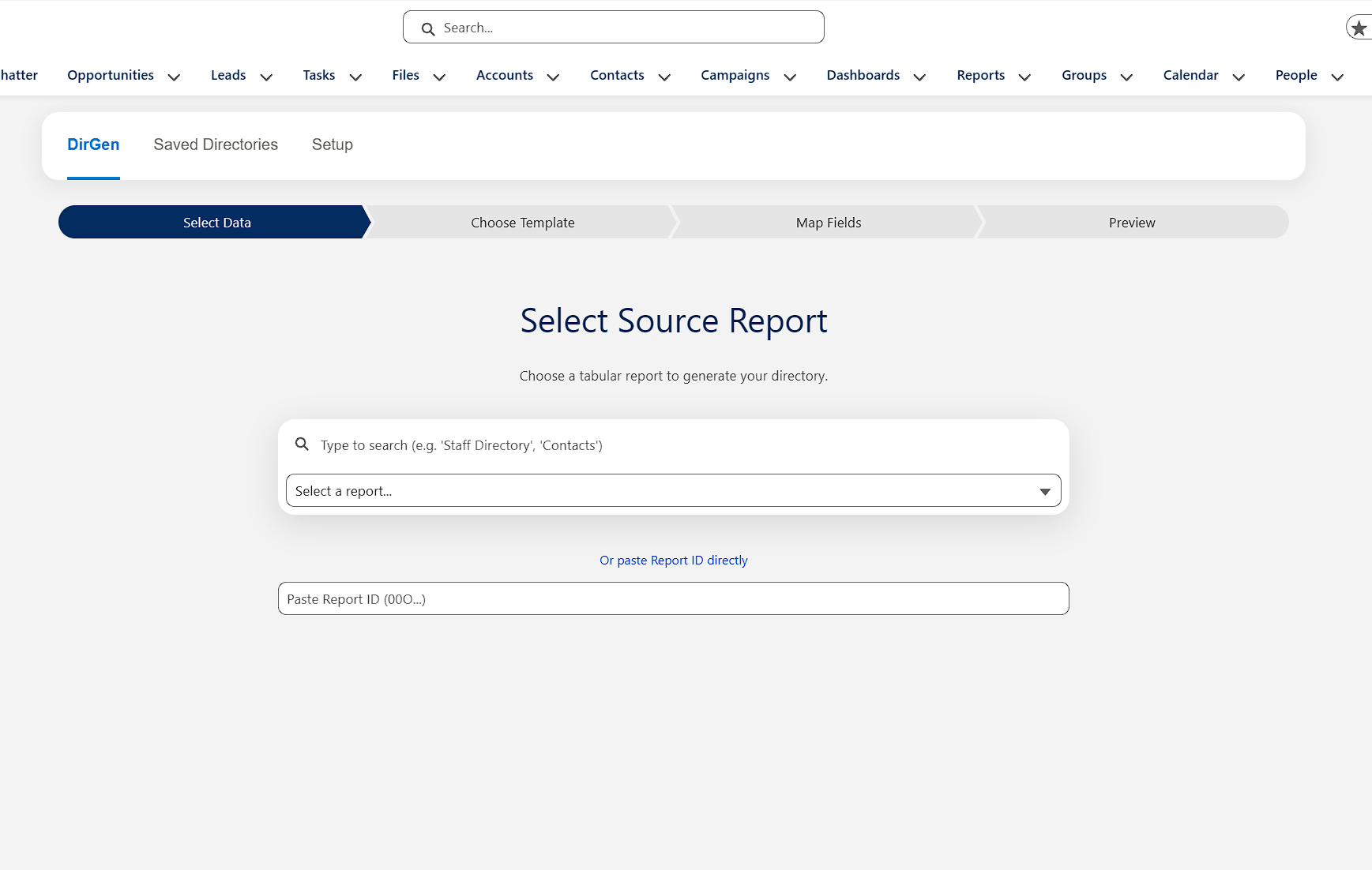
Choose your report

Select a tabular or summary report on Contacts, Leads, Users, or a custom object.

Step 1: Select your Salesforce report as data source
2

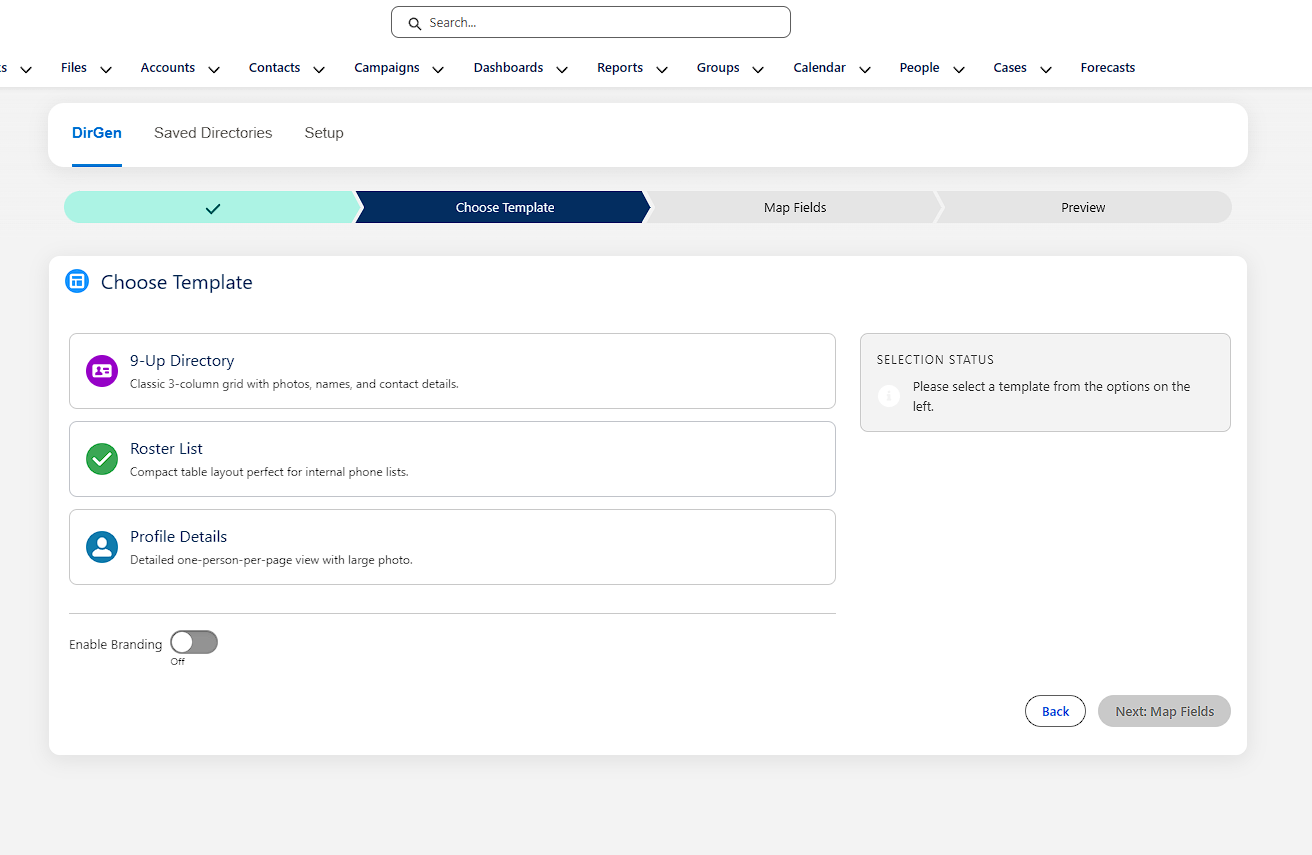
Pick a template

Choose from three layouts:

  • 9-Up Directory: up to nine records per page. Good for staff directories, member rosters, and product catalogs.
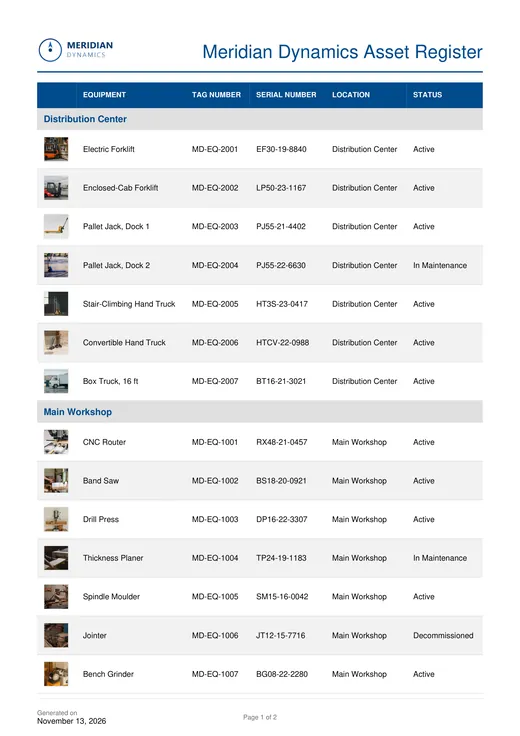
  • Roster List: a compact table with small photos. Good for phone lists, price lists, and asset registers.
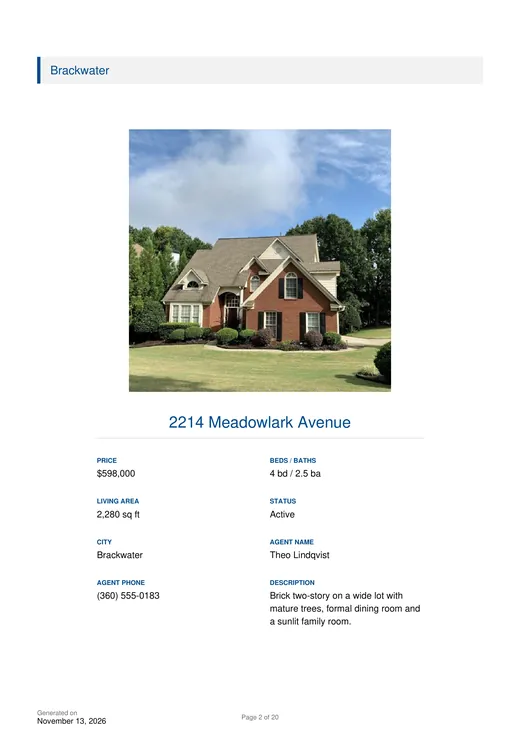
  • Profile Details: one record per page with a large photo. Good for board bios, data sheets, and listing flyers.
Step 2: Choose from three professional directory templates
3

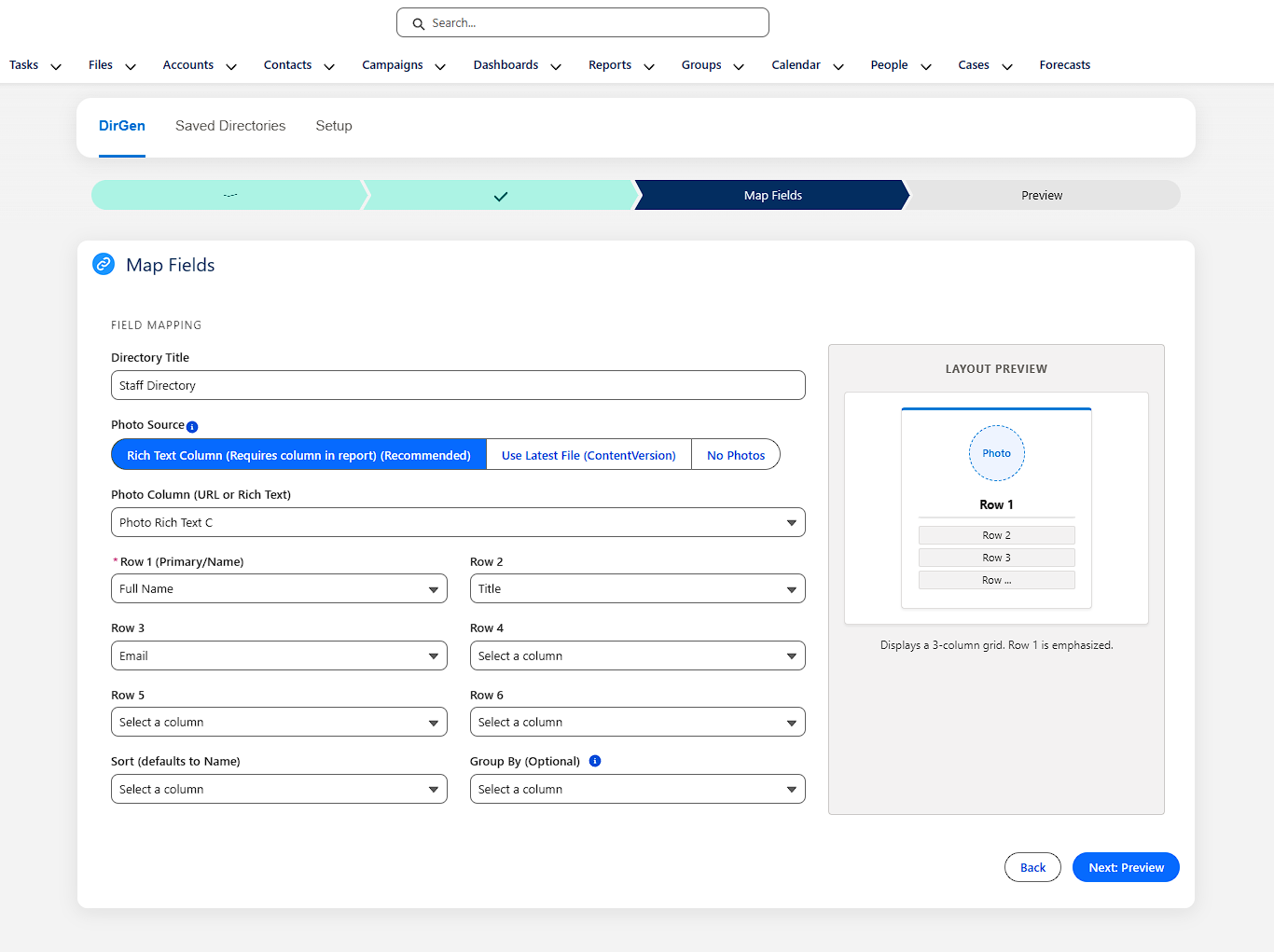
Map your fields

Tell DirGen which report columns hold the photo and the details you want to show. Dropdown menus make the mapping quick.

Step 3: Map Salesforce fields to directory layout
4

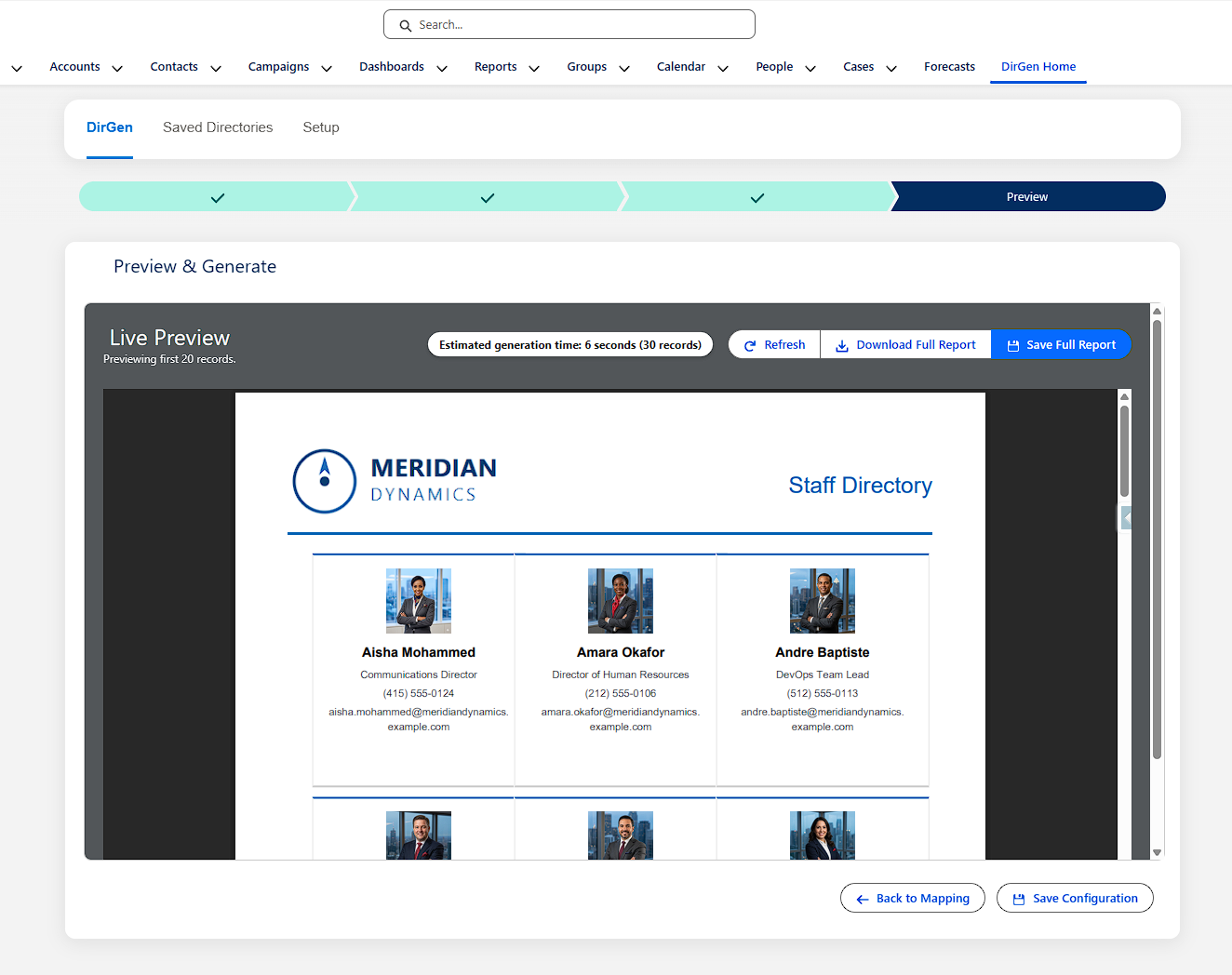
Preview your directory

See exactly what your directory will look like before generating. Make adjustments to field mappings or template selection as needed.

Step 4: Live preview of your directory before generating
5

Generate & download

Click generate and download your print-ready PDF. Share it, print it, or save it for later. Need to update it? Just regenerate from the same report.

Step 5: Download print-ready PDF directory

Everything you need

Built for Salesforce admins who need professional directories without the manual work.

Three templates

Choose the layout that fits your needs: grid, roster, or full profile.

Corporate branding

Add your logo and accent color to every directory.

Smart grouping

Group records by any field with automatic subheaders.

Smart photo handling

Works with Files and Rich Text Fields automatically.

How to add photos to Salesforce →

Save and reuse

Save configurations for instant regeneration with updated data.

What you can make

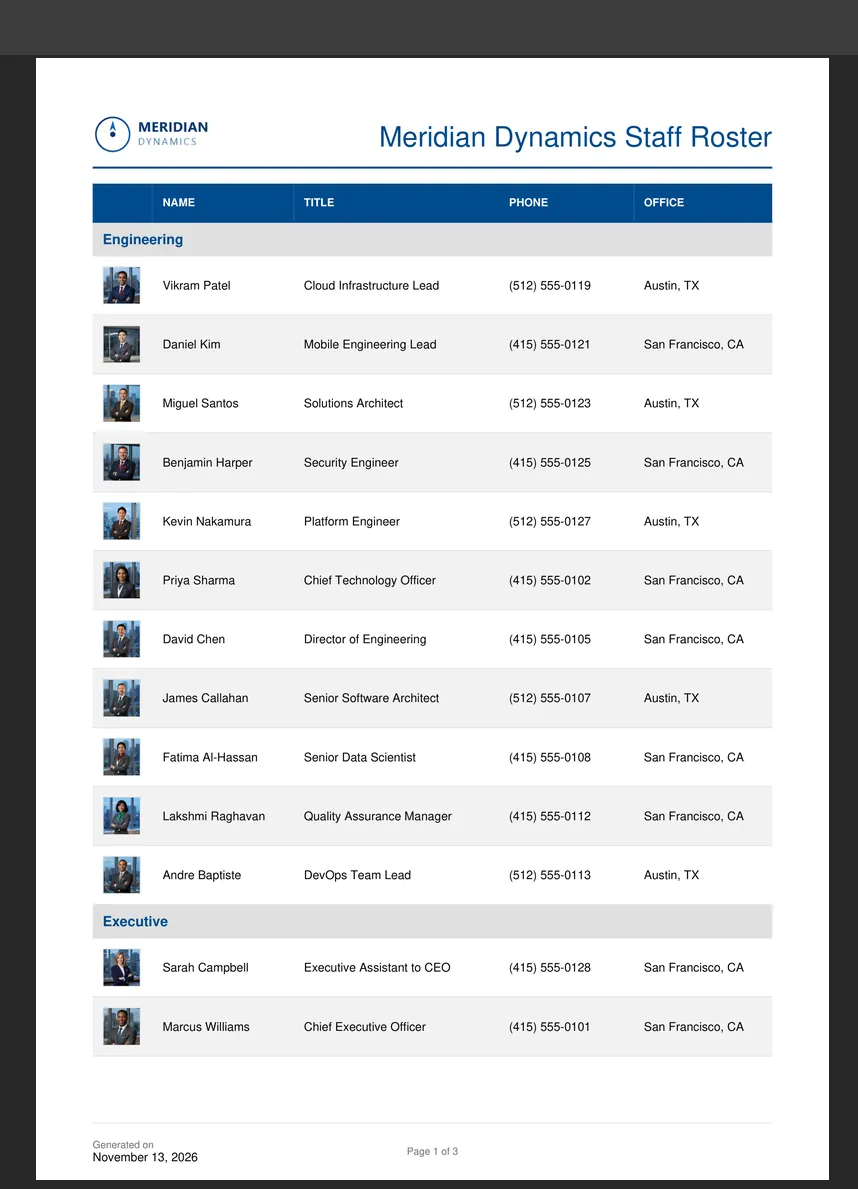
Staff directory page in the 9-Up Directory template

People

Staff, clergy, faculty and member directories. Volunteer rosters and board bios.

See samples for People →
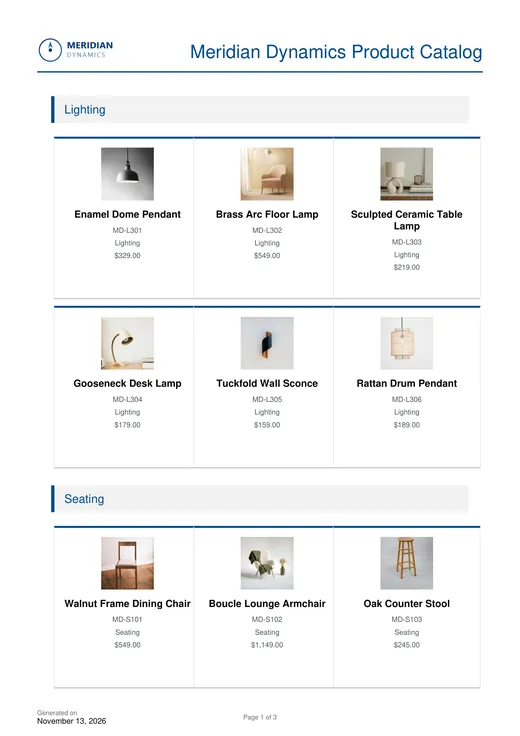
Product catalog page in the 9-Up Directory template

Products

Product catalogs, price lists, and data sheets.

See samples for Products →
Asset register page in the Roster List template

Equipment

Asset registers, equipment lists, and asset sheets.

See samples for Equipment →
Listing flyer in the Profile Details template

Property

Listing sheets, listing inventory, and listing flyers.

See samples for Property →

Pricing

$480

per user, per year

  • One license for each person who will use DirGen.
  • Try it free for 14 days. No credit card required.
  • Add licenses any time with an add-on offer.
Start a free 14-day trial

In the US, you buy DirGen through a private offer on AgentExchange (also known as AppExchange). How buying through AgentExchange works. Billed outside the US? You can buy with an order form at the same price.

Built by an admin, for admins

Creating photo directories manually is painful. Hours spent exporting data, formatting layouts, inserting photos, and fixing broken images, all for something that needs to be updated again next quarter.

DirGen was born out of that frustration. What started as a tool to solve a real problem for my own organization has grown into a polished solution for anyone who needs professional photo directories from Salesforce.

Marlin

Salesforce Admin · Portland, Oregon